
CHECKMATE • PRODUCTIVITY • 2026
Collaborative todo app built from scratch for shared living
TIMELINE
1 week
Ongoing
ROLE
Founder
Designer
TEAM
Cursor
Tl;dr
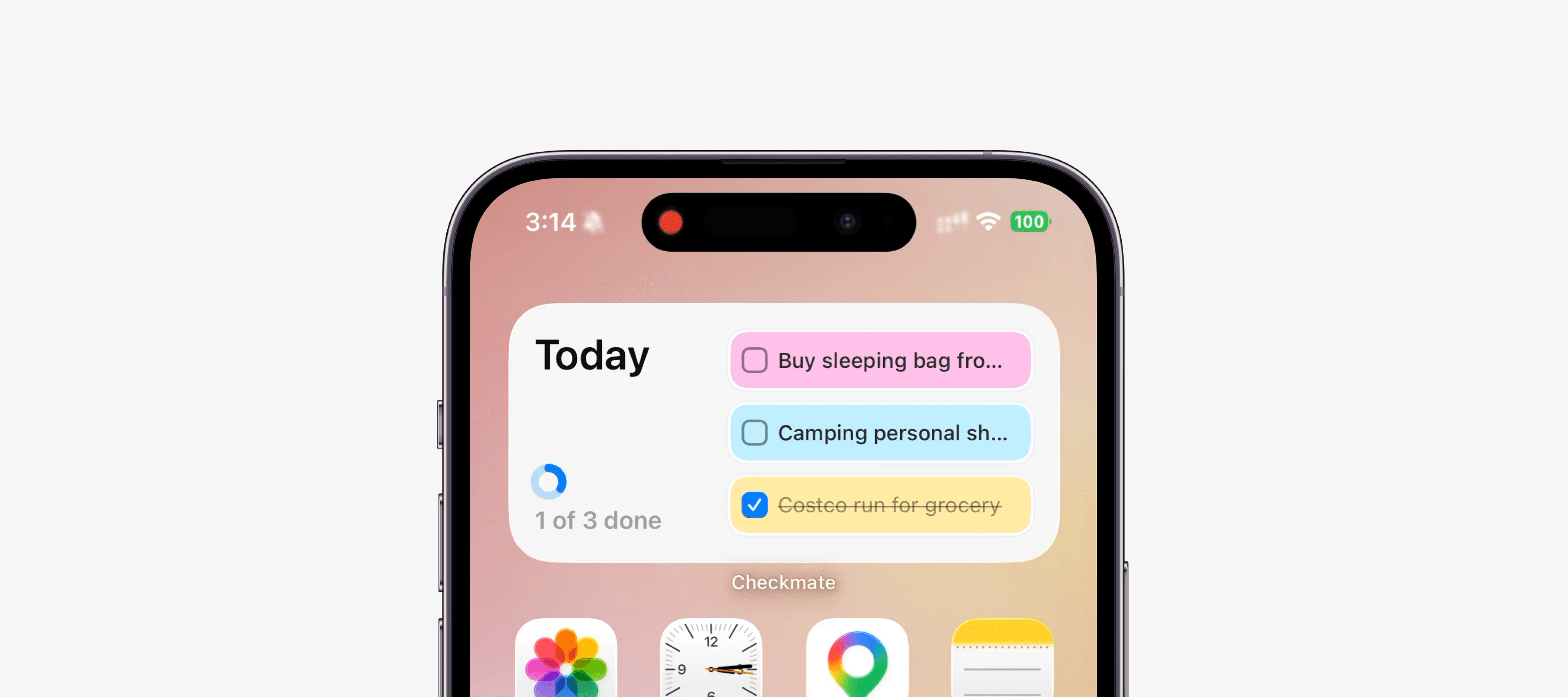
Checkmate is a shared to-do app for roommates and partners. Tasks look like sticky notes on a board: add one for yourself or assign it to someone else, pick a due day, check it off when it is done. I designed and built the iPhone app + widget in a week using Cursor for implementation, Supabase for sync, and a home screen widget so todos stay visible without opening the app. Testflight coming soon!
OVERVIEW
Checkmate is a daily board of post-its for people who live together.
Most shared lists either feel like work software or a group chat that forgets what you agreed to. Checkmate sits in the middle. Personal todos and assigned todos live in one place, organized by day, with a sticky-note UI. Built for iOS with SwiftUI. Backend is Supabase (auth, Postgres, realtime). A widget mirrors today's list and supports check-off from the home screen.

THE IDEA
Roommates and couples do not need another complicated task manager, they need something fast, visible, and low friction.
Paper notes on a fridge work because they are casual and hard to miss. Most shared lists feel like work software or a group chat that forgets what you agreed to. Checkmate sits in the middle.
Every task is a post-it: equal priority, no urgency flags, no nested projects. You write it, assign it if someone else should do it, and it stays on the board until someone checks it off.
Built for people who split chores, errands, and small commitments.
DESIGN & BUILD
I designed in Figma first, then used Cursor to ship it in a week.
Sticky colors, type, spacing, icons, and core screens (home, add todo, friends) lived in a Figma design system before any code. Two markdown files kept every Cursor session aligned: DESIGN.md for vision, UI rules, and screen behavior, and PLAN.md for repo conventions, routing logic, and how to work in the project without re-explaining the stack each time.
Figma MCP bridged the file and the build. I pointed Cursor at specific frames (home grid, add todo sheet, sticky card) to pull design context, spacing, and tokens, then mapped those into Theme.swift and SwiftUI components. When something looked off in the simulator, I re-ran MCP on the same node and sent a fix prompt instead of guessing at padding or color hex values. I owned design and interaction. Cursor handled SwiftUI, Supabase, and fixes.


REFLECTION
My key takeaways and learnings!