
STREAMLINE • B2B SAAS • 2023
Figma plugin for Streamline icons

TIMELINE
3 weeks
ROLE
Product Designer (Me!)
TEAM
Founder
Developer
Tl;dr
Designers wanted Streamline inside Figma. Competitor icon plugins were already on the canvas, so paying users had to open the web app to browse and export. I designed the plugin in three weeks with search, browse, customize, and drag-to-canvas.
↑ Liked by 6.3K users
in the Figma community
↑ Used by 452K users
in the Figma community
SOLUTION
Here are some of the core flows.
These flows carried most of the plugin: getting icons into the file fast, keeping web-level customization in a small panel, and letting the UI grow when people needed more room.
Drag and drop into canvas
Search or browse to an icon, customize if you need to, then drag it straight onto the Figma file. No export step, no tab switch, no download folder in between. The asset lands as a usable layer where your cursor drops it.
All features packed in a small plugin
Search, set browsing, preview, color and stroke controls, and export formats from the web app had to fit the plugin shell. I ranked features by what paying users used most, then mapped each one to the narrow default view. Secondary controls sat behind progressive disclosure so the strip stayed scannable.
Making the plugin scalable—literally!
The panel starts compact for everyday search-and-drop. It expands when someone needs deeper customization or set context. Users are not stuck in a permanent default size; the plugin grows with users need instead of cramming everything into one fixed size.
OUTCOME
Impact post launch!
↑ Liked by 6.3K users
in the Figma community
↑ Used by 452K users
in the Figma community

Winner of 'Favourite Graphic Resource' by Figma!
OVERVIEW
Streamline is a B2B SAAS asset library with millions of users.
Streamline is a design tool built around a large catalog of high-quality vector assets like icons and illustrations. Designers, marketers, and developers use it to browse huge sets, drop assets into collections, customize them, and export in the formats and sizes they need for products, decks, or code.

PROBLEM
We were losing paying customers to competing Figma plugins because Streamline didn’t fit designers’ workflows.
Missing presence where designers work
Designers use Figma heavily, and competitors’ plugins there meant we were losing reach and retention.
Leaky experience for paying users
Paying subscribers had to leave Figma to use Streamline, adding friction and increasing churn risk without a native experience.
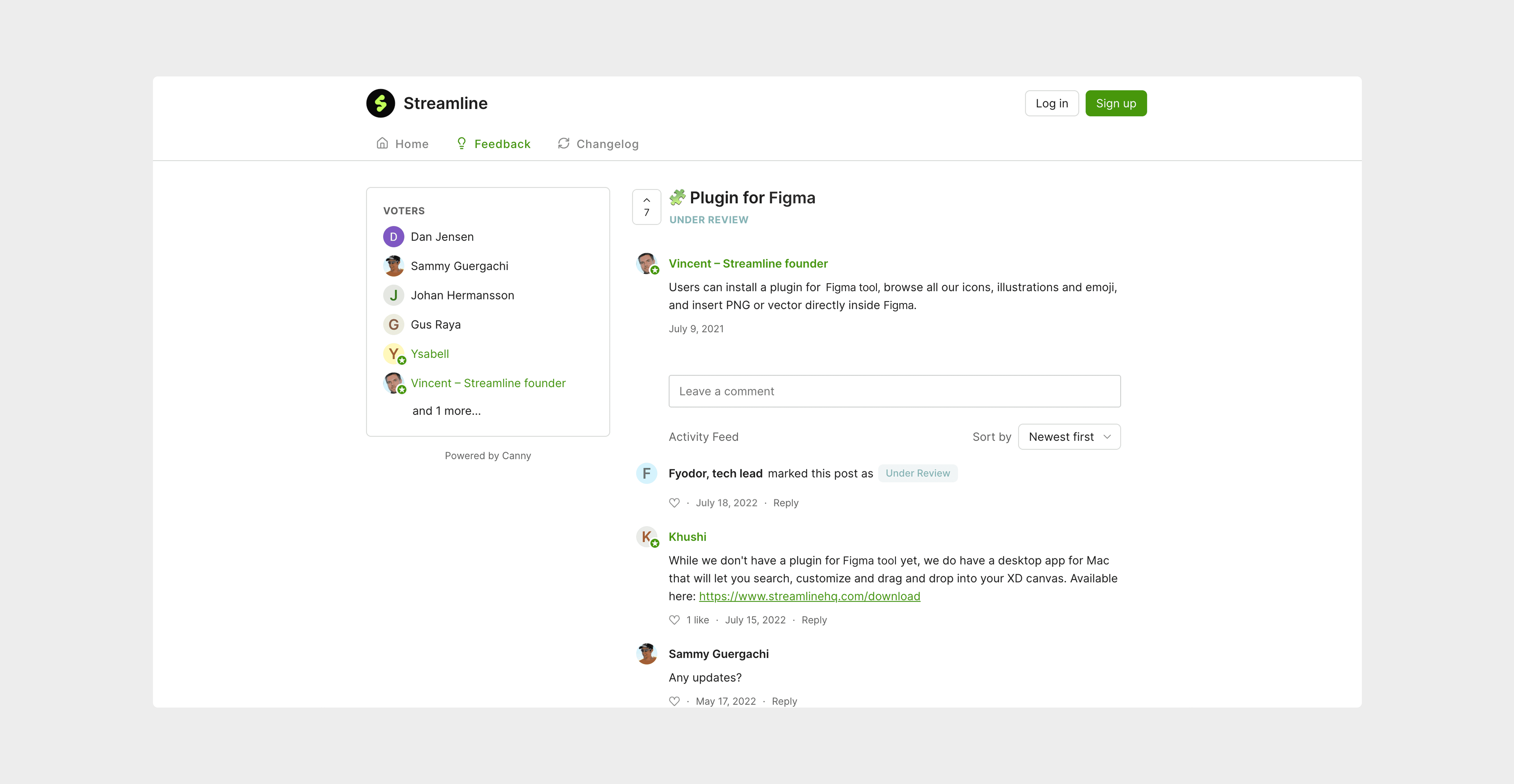
Streamline users requesting a Figma plugin in Canny
GOALS

Seamless integration for smarter workflow
User goal

Consolidating all web features
User goal

Unlocking a new market: Figma users
Business goal
DESIGN PROCESS
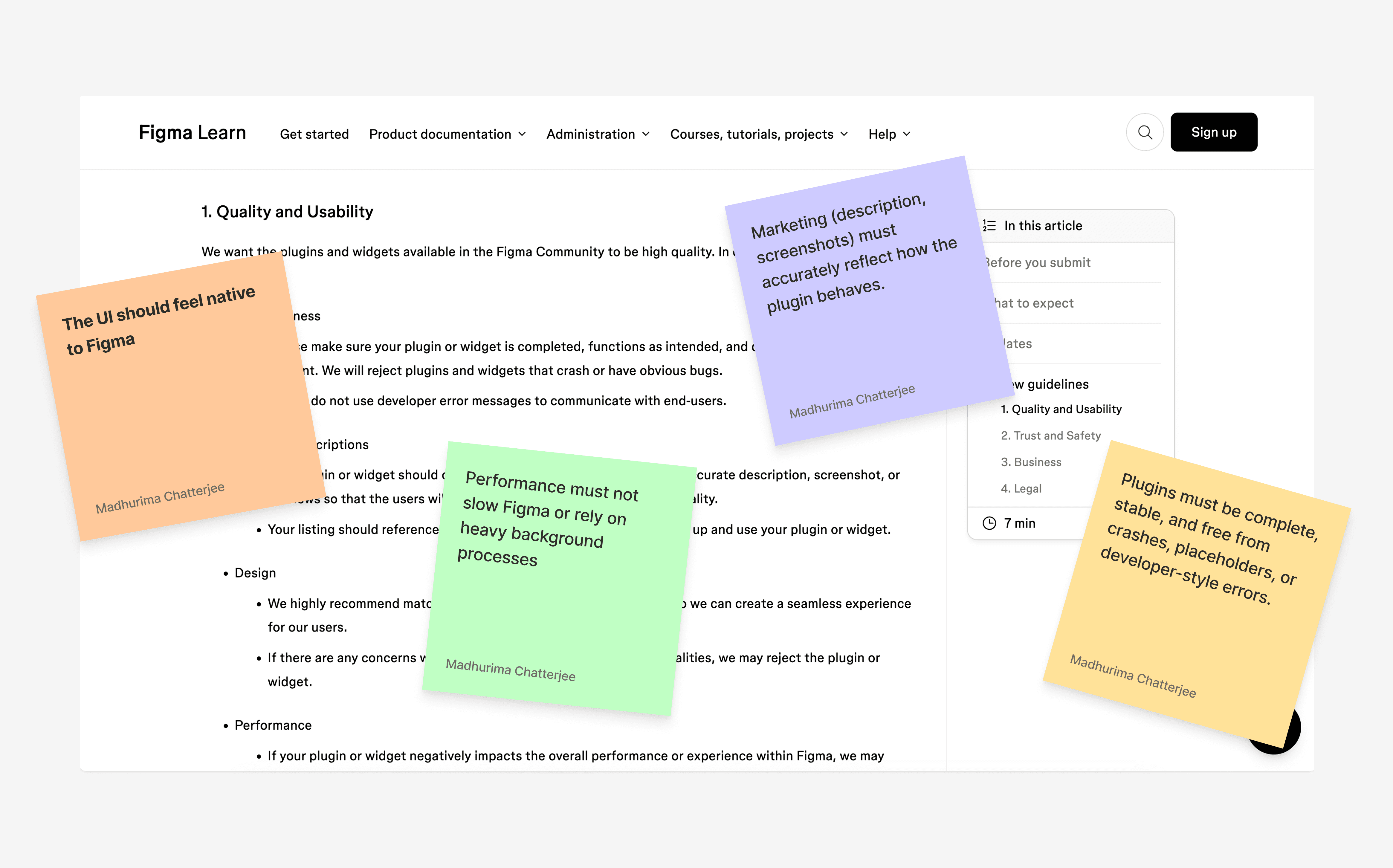
I learnt Figma's Plugin guidelines to know the possibilities and constraints before I started solutioning.
I began by studying the guidelines for designing a Figma plugin and collaborated closely with the engineer to understand the scope for creativity, identify technical constraints, and determine where to set boundaries.
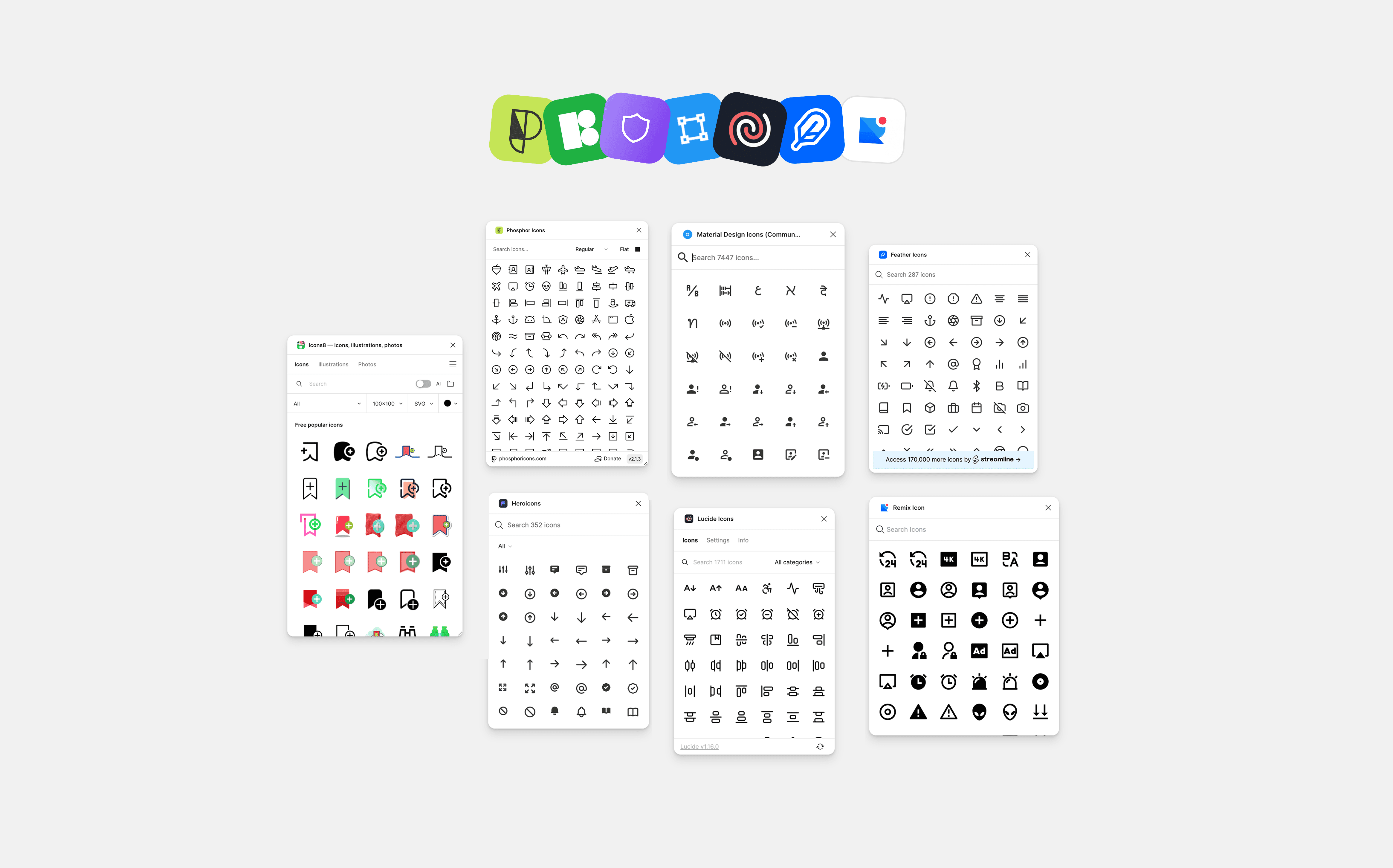
I also went ahead and did an analysis of the existing competitor plugins and benchmarked what they were doing well and weren't.
The key challenges I faced while designing the plugin were…
Space Constraints
Limited space in the thin strip for features like outline stroke and multi-select.
Discoverability
Asset types and set details (name, category)
were hidden, hindering navigation and discovery.
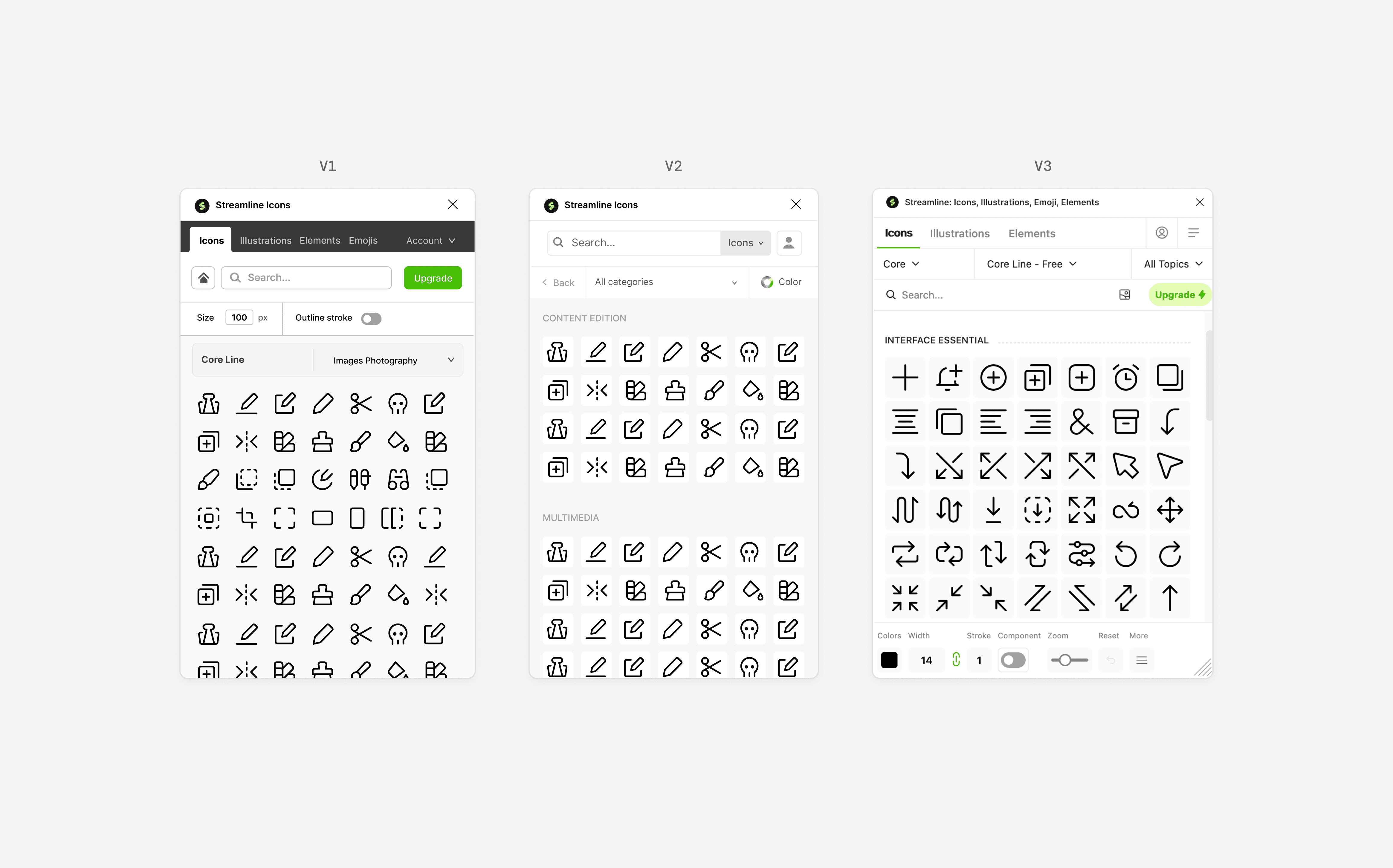
There had to be a tradeoff between what was shown upfront and what could be tucked away. Using progressive disclosure was key so users don't feel overwhelmed.
REFLECTION
My key takeaways and learnings!